- Dynamic RPN stack display
- RPN stack operation emulation
- 131x64 screen display for drawing
graphical object for GUI-based applications
- User-RPL objects recognized: integers,
reals, binaries, strings, list, real arrays, GROBs, programs, local
variables, global variables, built-in commands, and built-in functions,
- User flag operations
- Built-in commands and functions
recognized: "-", "%", "%CH", "%T", "*", "/", "\->GROB", "\->HMS",
"\->LIST", "\->OBJ", "\->STR", "+", "<", "==", ">", "ABS", "AND",
"B\->R", "BEEP", "BLANK", "BOX", "CF", "CHR", "CRDIR", "DATE", "DDAYS",
"DECR", "DEPTH", "DOERR", "DROP", "DROP2", "DROPN", "DUP", "DUP2", "DUPN",
"ERASE", "EVAL", "FC?", "FC?C", "FINDALARM", "FLOOR", "FP", "FS?", "FS?C",
"GET", "GETI", "GOR", "GROB", "GXOR", "HALT", "HMS-", "HMS+", "HOME", "IFT",
"IFTE", "IM", "INCR", "INPUT", "IP", "KEY", "LINE", "LIST\->", "MEM",
"MIN", "MOD", "NEG", "NOT", "NUM", "OFF", "OR", "OVER", "PATH", "PDIM",
"PGDIR", "PICK", "PICT", "PIX?", "PIXOFF", "PIXON", "POS", "PURGE",
"PUT", "PUTI", "PVIEW", "R\->B", "RAND", "RCL", "RCLALARM", "RCLF", "REPL",
"RND", "ROLL", "ROLLD", "ROT", "SAME", "SF", "SIGN", "SIZE", "STO", "STO-",
"STO*", "STO/", "STO+", "STOALARM", "STOF", "STR\->", "SUB", "SWAP",
"TICKS", "TIME", "TLINE", "TVARS", "TYPE", "UPDIR", "VARS", "VTYPE",
"WAIT", _"XOR" and more.
|
- Debugging features: Single step into,
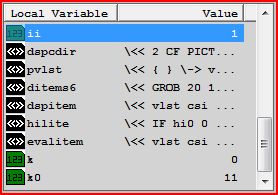
Single step over, Continue, Kill, Halt, Local Variables display
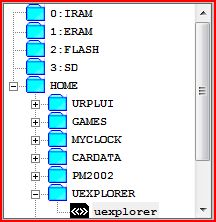
- HP programmable calculator's HOME
directory hierarchy emulation
- Project Manager to add, delete, or
reload User-RPL projects (developed using UEdit) to the emulator
- User-RPL programming statements
recognized: IF THEN END, IF THEN ELSE END, IFERR THEN END, CASE END,
START NEXT, START STEP, FOR NEXT, FOR STEP, DO UNTIL END, WHILE REPEAT
END
- Changeable keyboard colors
- Display Keyboard key labels from
User-RPL programs developed with UEdit in Advanced Edition
- Display GROBs in color from
User-RPL programs developed with UEdit in Advanced Edition
- Open unlimited multiple User-RPL
projects (developed using UEdit) to function as a real HP programmable
calculator on your PC
- Custom startup mode and object
evaluation in Advanced Edition
-
Download User-RPL programs and run in UCalc
|


 Changeable keyboard color schemes